
I thought I might as well give Chrome a try with the whole move to MV3 over the next year – I’ve posted a few toots over on my Mastodon account however I thought it would be better to thrash it out on my blog so I doesn’t come across as some sort of adlib style stream of consciousness. Basically what I wanted to see is whether the functionality gap between MV2 and MV3 based content blockers is as bad as some claim (including myself) or whether it may not be as perfect as say the MV2 extensions but the benefits that come with the move to MV3 far out weight the limitations imposed on developers.
The first one I gave a try was the MV3 version of AdGuard (link) which at the time of this blog was version 5.0.2 but keeping it mind it was still in beta with two of the components it relies on, TSWebExtension and TSUrlFilter, being in alpha so there is probably a lot of work yet to be done. Even though it is in beta I thought it would best to see how well it does at this early stage. I installed it, enabled all the same filters that I have enabled on AdGuard for Safari then copied and pasted over my ‘User Filters’ where I have a list of blocked and allowed domains (I use ‘User Filters’ instead of the allow list).
I tested it with a few websites, one website which asked for ones date of birth (it’s an alcohol related website) the whole page was black and no dialogue, when I disable the content blocker I approved the t’s and c’s, enabled it but now the page wouldn’t render properly. Another website I tried is a video sharing site, you chooe the show, episode then click on a button to continue but when you click the button a new window loads but the ad that was meant to be in the window is blocked – it’s nice that the ad was blocked but what would have been even better would be for the window never to have been opened – this is something that I have noticed on block uBlock Origin Lite as well as AdGuard MV3. As noted, this is till a beta, still work in development with alpha development components so it could be just a matter of fixing that and everything works.
I then tried uBlock Origin Lite – I had tried the extension a while ago but at the stage I don’t think I could find a way to add websites to an allow list so in the end I gave up. The one I installed today was the version 2024.7.3.674 – there is a new version over on the project’s github page (link) however it hasn’t made it’s way through to Chrome extensions store. I installed it, opened it up, enabled all the filters (except for the language/regional ones), added the websites to the allow list, then visiting the same websites. As mentioned in the previous paragraph it doesn’t stop a new window from being created but it does stop the ad from being shown in it – it’s a minor inconvenience but it would be nice if it could be resolved either by the extension developer if it is something they can do or the folks over at the WECG by providing a API which would empower developers to do so.
I’ve sideloaded uBlock Origin Lite 2024.7.17.853 because it wasn’t available in the Chrome store – it appears that there is an update pushed out every 10 days so it probably makes sense in the future just to side load the extension rather than waiting the long time it takes for Google to rattle its dags and make it available. I’ve run the extension through a content blocker (link) which results in both getting 99% – the last 1% I wonder have to do with a quirk in the test rather than a failure but whatever the case maybe uBlock Origin Lite is pretty solid.
Edit: It appears that it takes 24-48 hours for the extension to appear in the store – I’ve upgraded to the store version and everything is going well.
A bit of a side note: There are rumours that at the Samsung developer conference on 3 October 2025 that One UI 7.0 will be announced which will be based on Android 15. Over on Twitter @iceuniverse notes the following:
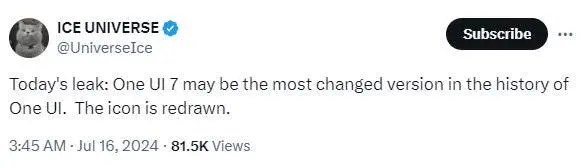
So it’ll be interesting to see what the Samsung S25 series delivers next year in around February 2025 and how it compares to the Pixel 9 range.
 Matisyahu's Blog
Leave a comment