
So I’ve changed the setting on all of my devices to ‘reduced transparency’ then voila the performance improves, the stuttering on my tvOS device disappears – I don’t know what Apple did in terms of their liquid glass transparency but holy heck it must have had performance penalty. My Apple TV 4K was a bit of a confusing one because before doing reduced transperancy it would stutter, hang etc. but when after enabling it I then rebooting the device just to be sure that there isn’t anything else going on then I found it is fast and responsive. I’ve now been running it for a few hours and everythhing is going well.
Another interesting setting I came accross was the ‘prevent cross-site tracking’ setting within Safari:
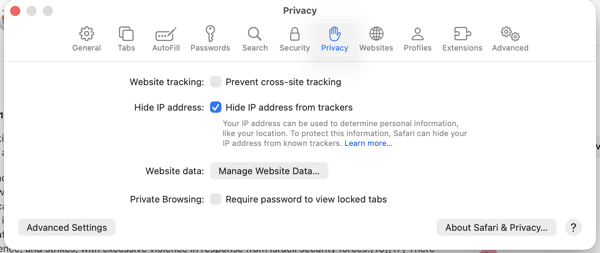
Unfortunatly in Safari it is an ‘all or nothing’ feature – either you enable it for all websites or you enable it for none of the websites. What I have found is that some websites break or don’t work as expected when it is enabled. For example, if you’re on a WordPress blog and you click on your notifications rather than having the menu drop down it takes you to another page. Another example is if you’re logged into your WordPress account and then visit a blog then you’ll find in the bottom right hand corner you will need to login again. Yet another couple of examples, I’ve also noticed it on Google Chat where videos being sent fail to play and instead are downloaded which is annoying because it is one extra step rather than it playing in the bowser. Tiktok is another website that also has issues – not that I have an account but sometimes I’m given a link for a video but the video doesn’t work properly such as not playing or the audio not working as expected.
 Matisyahu's Blog
Leave a comment